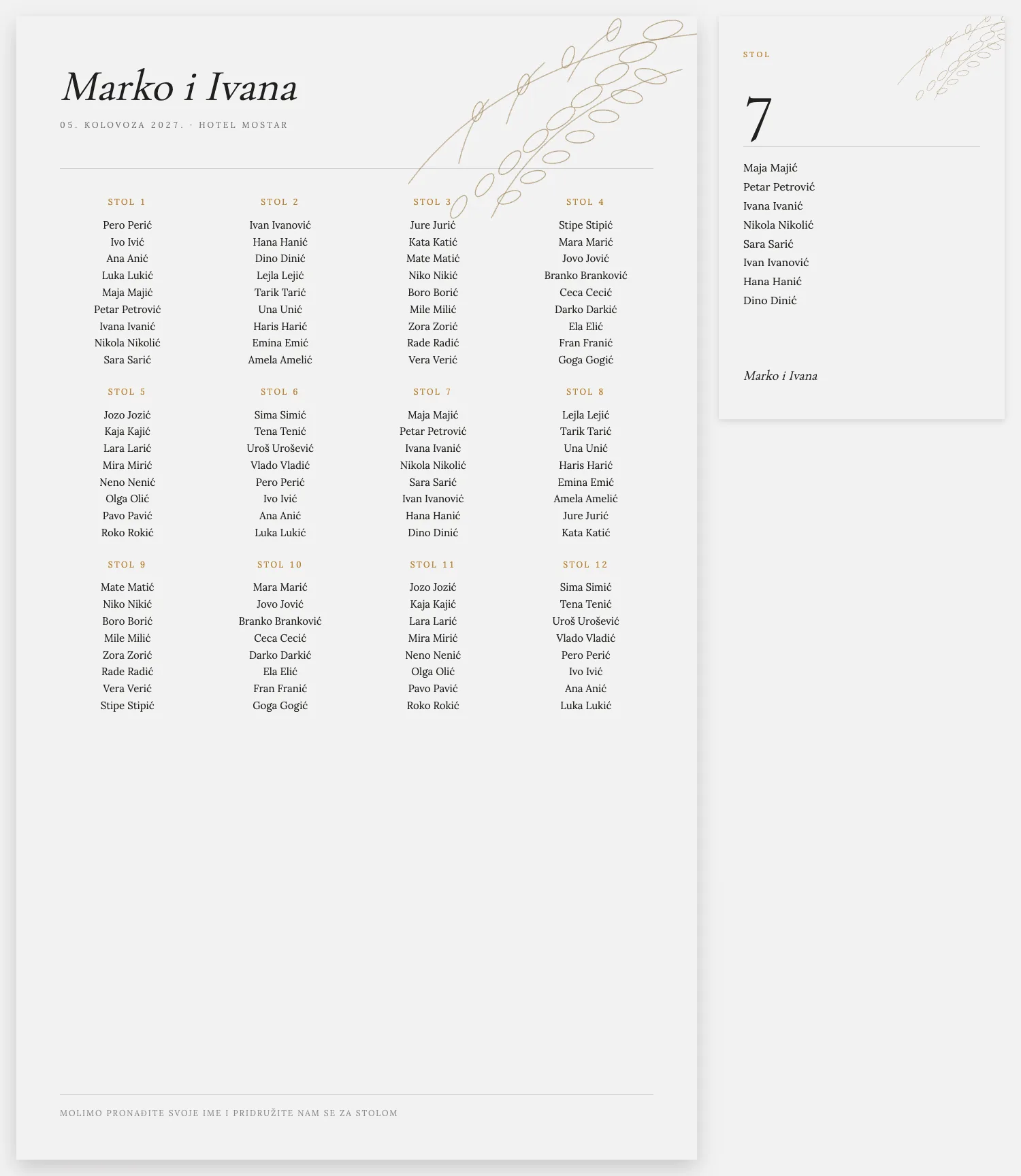
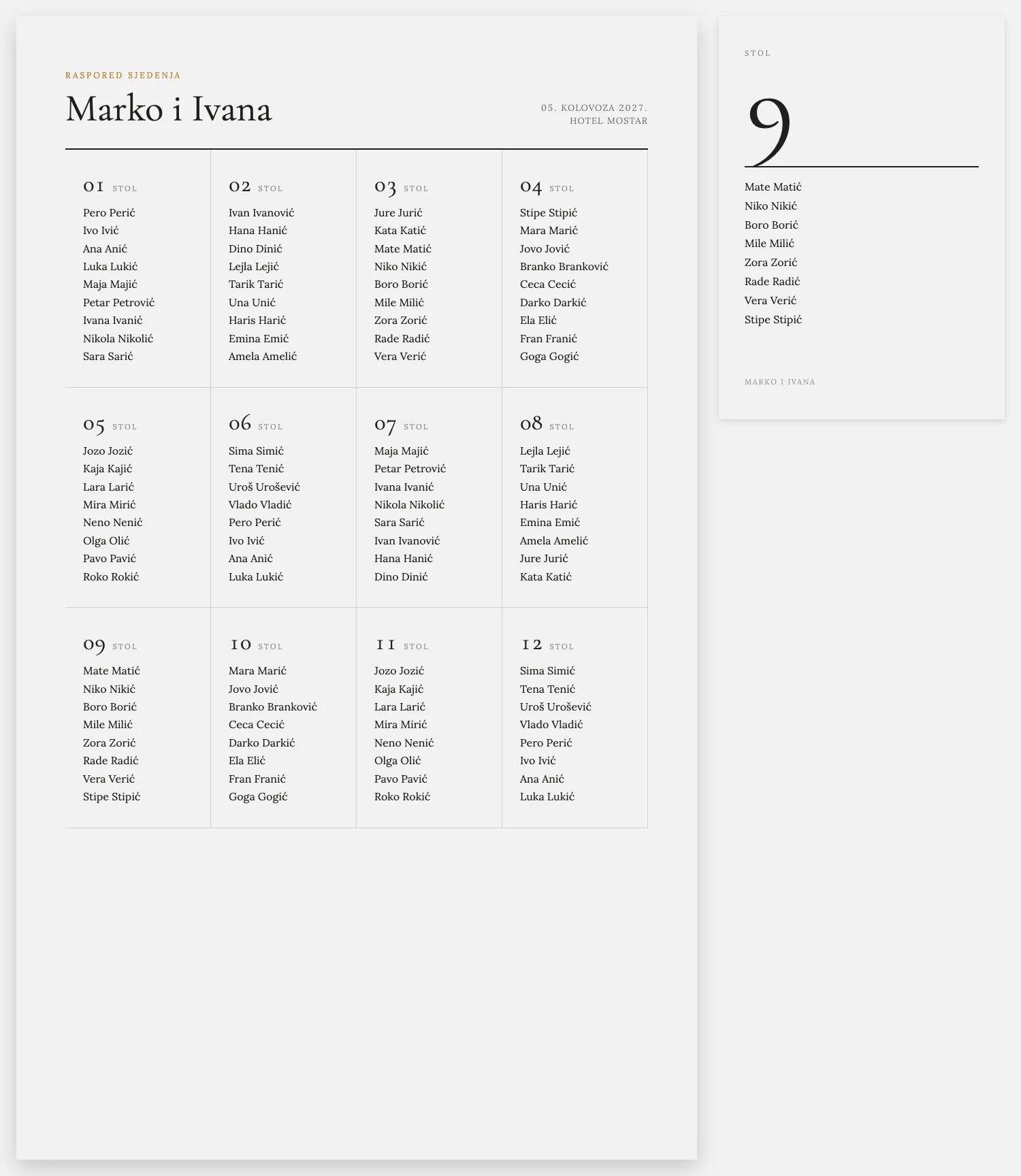
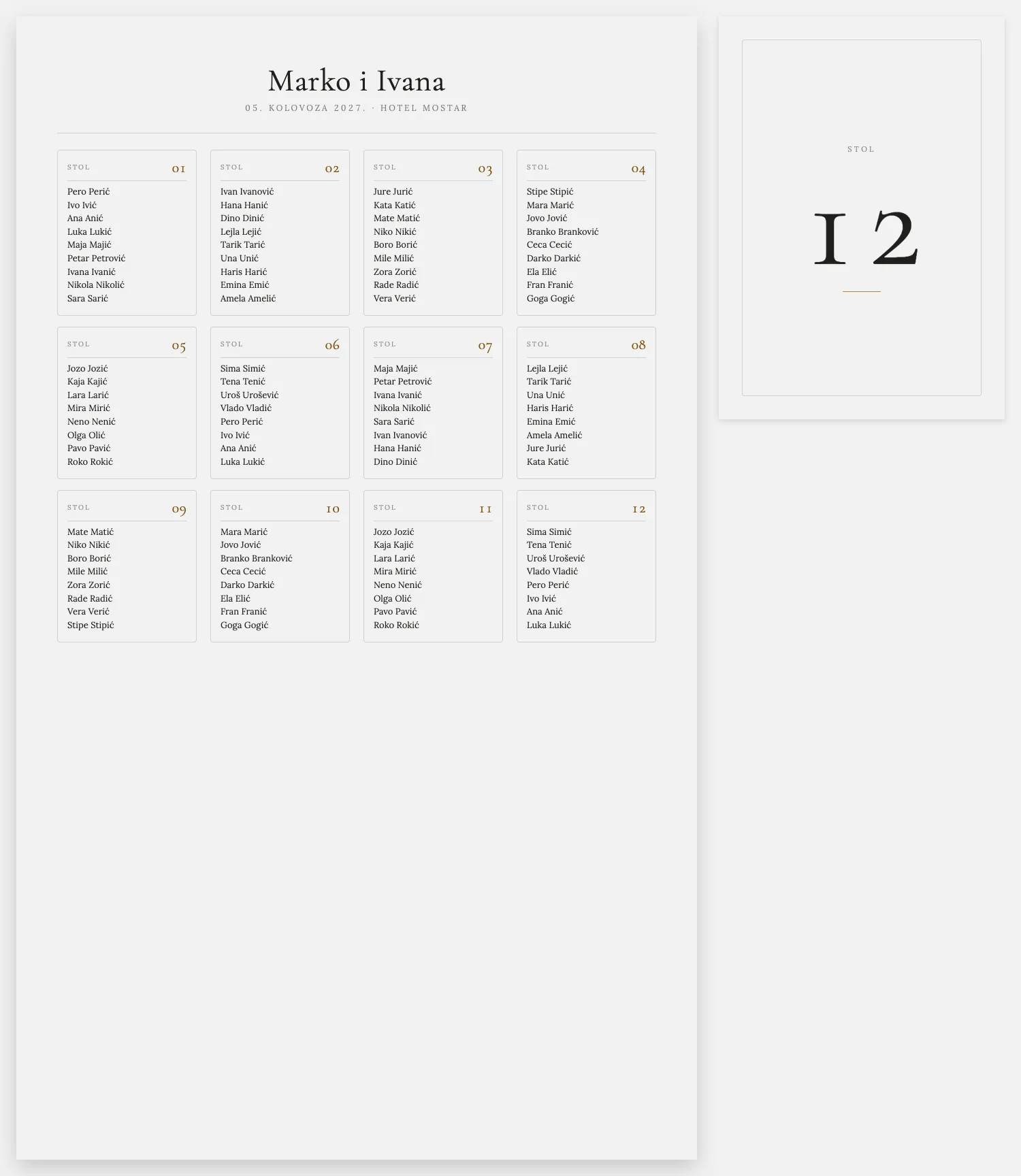
Poster on the hall door
A clear view right at the entrance. Guests see their table number at once, so there is no crowd. Sizes 50×70, 70×100, A1 and A2.
Works in Browser
Works directly in your browser on desktop, tablet, or phone. No download, no installation: just open and start planning.
If you make the invitation with Pozivko, guests who accept can be moved into the table plan automatically. No retyping names.
Before you pay, you can arrange everything and see how it looks. No card required.
What it actually looks like
Two papers and zero lost guests.
Sample for 100 guests
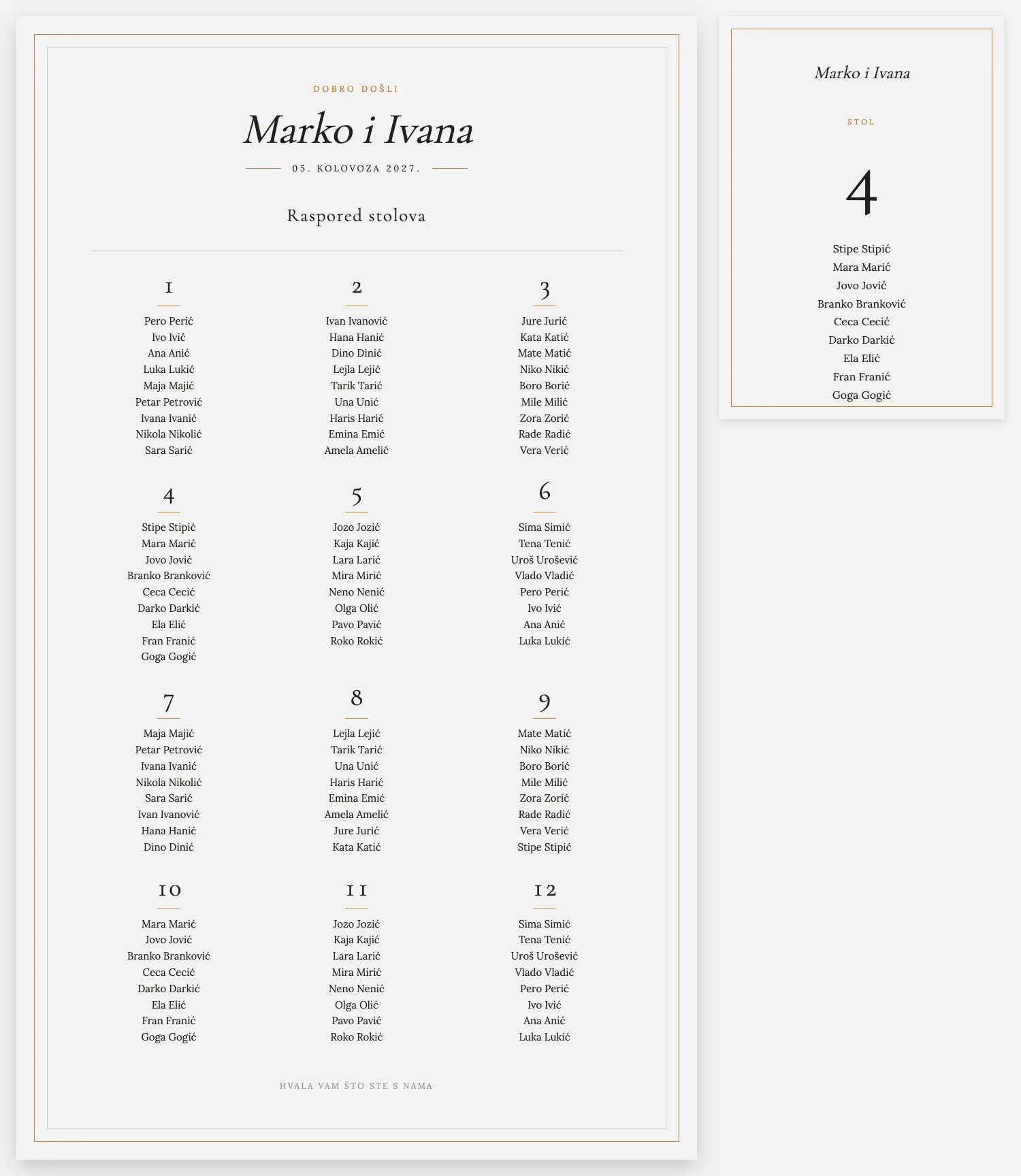
Poster on the hall door · A3 flyer on the table
A clear view right at the entrance. Guests see their table number at once, so there is no crowd. Sizes 50×70, 70×100, A1 and A2.
Full A3 (297×420 mm) with the table number and guest list. Guests walk up, find their name, and sit. One sheet per table — not a sheet of four mini cards.
Why this tool works
Round, rectangular, long family tables or cocktail tables. Place them the way they stand in the hall.
Type name by name or paste the whole list. Move people as often as you like until each table feels right.
If you make the invitation with Pozivko, guests who accept can be moved into the table plan automatically.
Pick the design that matches your flowers and the room. Gold, Ribbon, Line or Grid.
Arrange on the go, on the bus, over coffee with your maid of honour, or in the hall itself. It saves itself.
Weddings, baptisms, birthdays, graduations or work events. One simple tool for all of them.
The tool and the day itself
Left is the workspace. Right is the finished paper.
In the tool on your phone
On the day
While you arrange you see round tables and a head table. Guests on the day see a poster with names, not that sketch.
The tool has one long table. Print is the same beautiful poster and A3 flyer as for round tables.
In the tool it is a list by table. On the door hangs a finished poster, like the picture on the right.
A large poster goes on the hall door. An A3 name flyer sits on each table — no cutting A4 into four.
How it works
Write e.g. Ana and Marko. You can add the date and place later.
Match the layout to the shape of your hall.
Download the HTML pack: entrance poster and one A3 flyer per table. In Chrome use Print → Save as PDF, then send to the print shop.
Questions
Yes, the tool is mobile-friendly. Browse and edit your seating chart directly from your phone.
No. Everything runs in the web browser: Chrome, Firefox, Safari, and Edge are all supported.
Yes, all changes are automatically saved to the server as you work.
Yes. Log in with the same account on any device and your chart is there.
Print price
Same poster and A3 flyers. Once with us. Agencies charge five to ten times more.
200 €+
Designer / agency
20 €
Pozivko
Finished entrance poster and A3 table flyers. You pay €20 once. Designers often charge €200+.
Before you pay anything, you can arrange everything and see how it looks. Completely free.
Six guides
Wedding, birthday, corporate, free, online and tables. Same tool, same hall.
Try it free. Pay only when you are ready to print.